Cutting diagnostic time from minutes to seconds
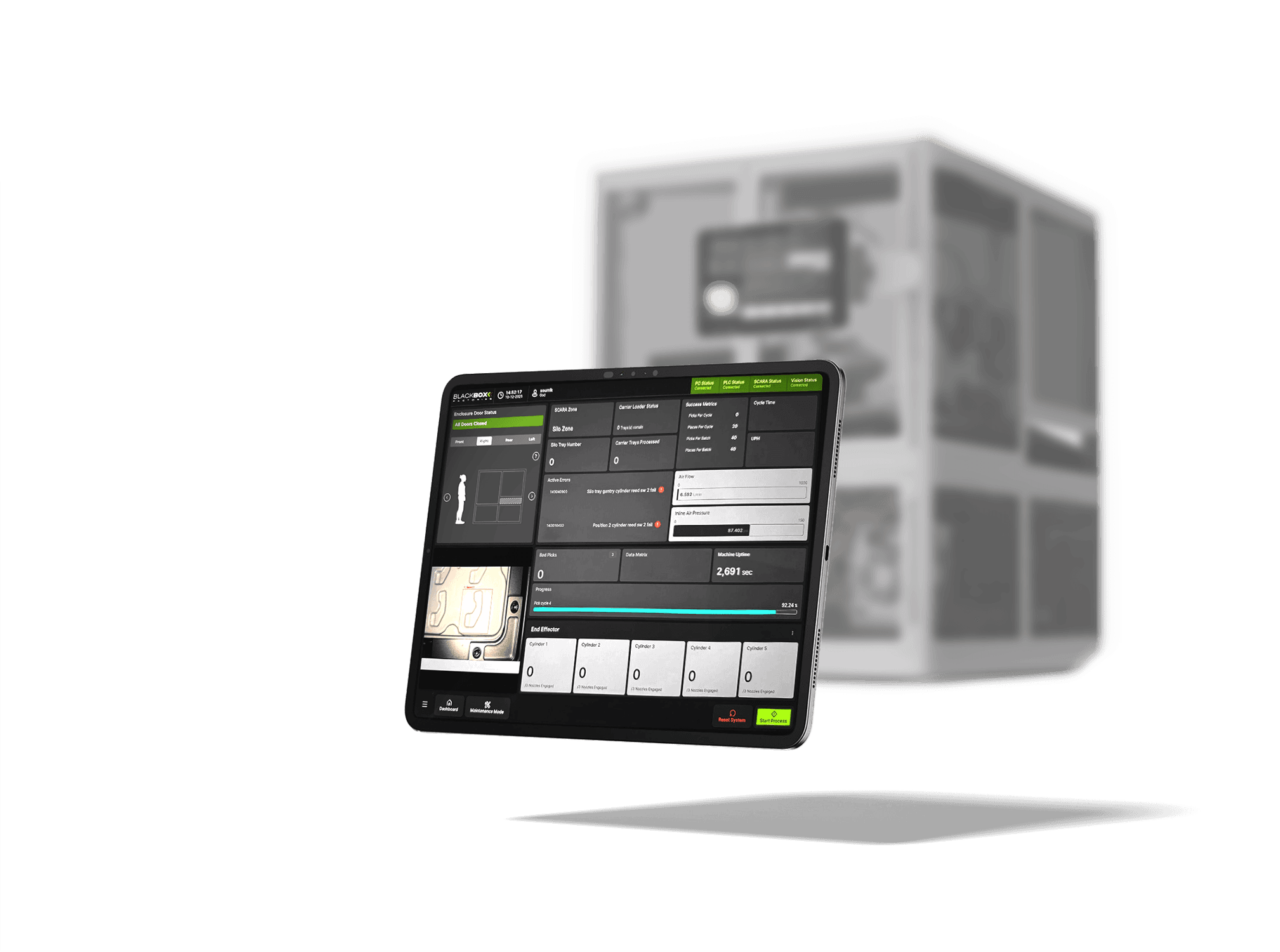
CLIENT
CLIENT TYPE
Industry automation company
PROJECT TYPE
UI/UX for SMT line machines
YEAR
2025
PROJECT ROLE
Product & visual designer
PROJECT CONTRIBUTION
Stakeholder analysis
Systems thinking
Information architecture
Rapid prototyping
User interaction & experience design
Visual design & content creation
3D modeling & rendering
TOOLS
Figma
Rhinoceros 3D
Adobe Photoshop
Adobe Illustrator
HELIO HMI Management System
COLLABORATORS
Sanya Gupta,
Product & visual designer
Context
Factory assembly lines run on tight schedules where every second counts.
Problem
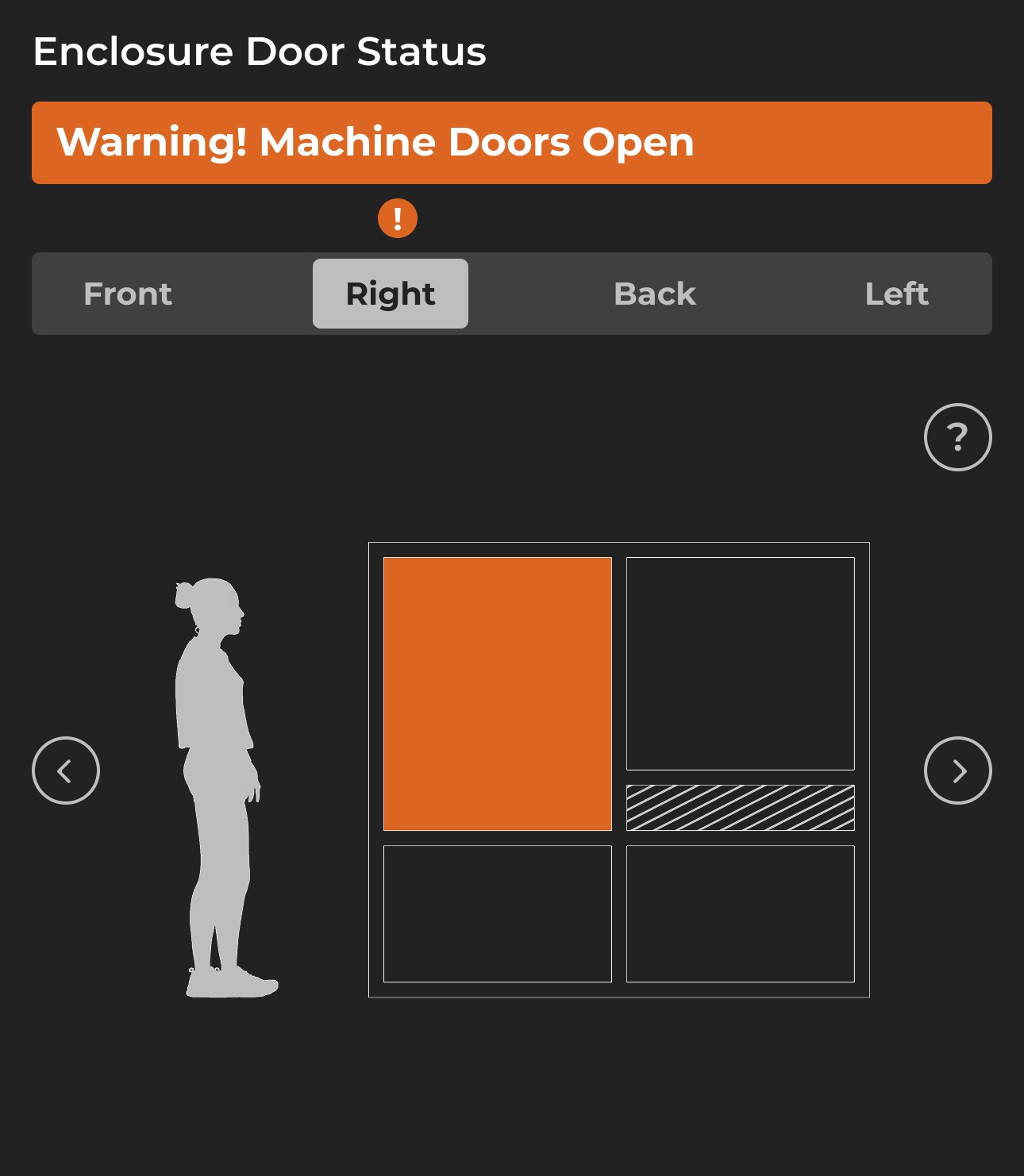
If a machine stops functioning, it requires immediate attention. Else, it could impact the entire line, causing massive losses & pile up.
Opportunity
How might we help identify these errors & ease their resolution?
Intervention
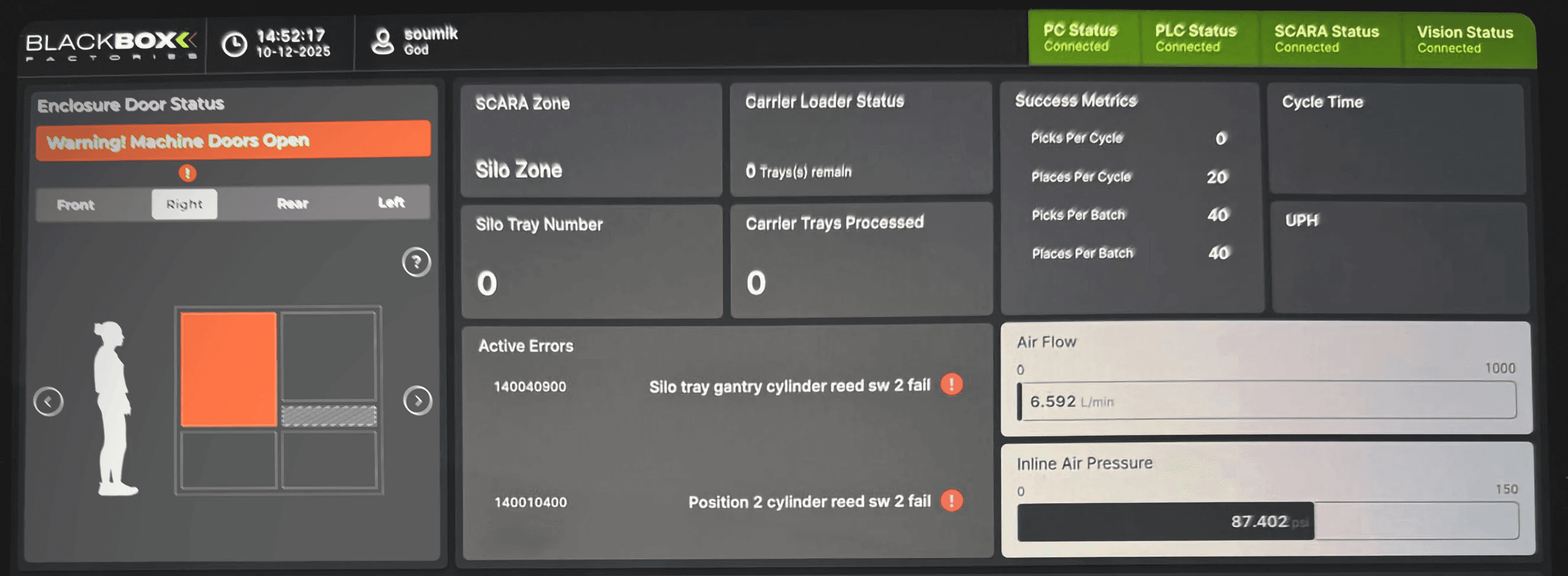
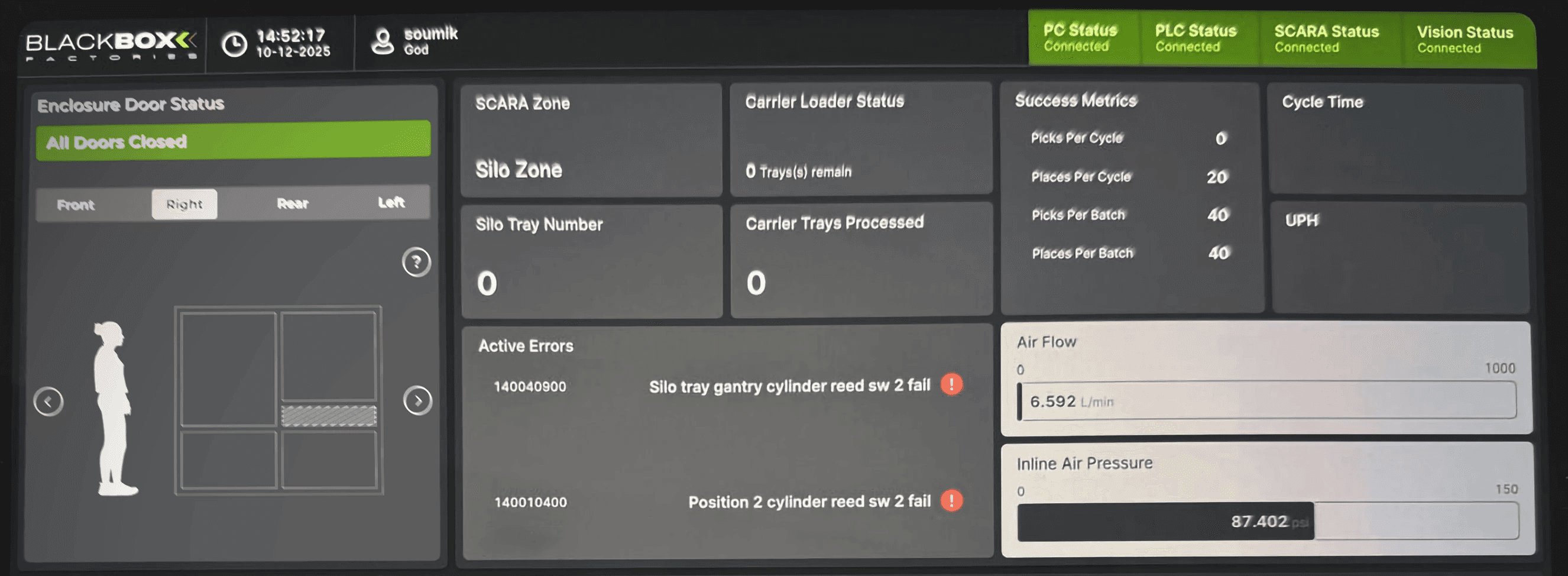
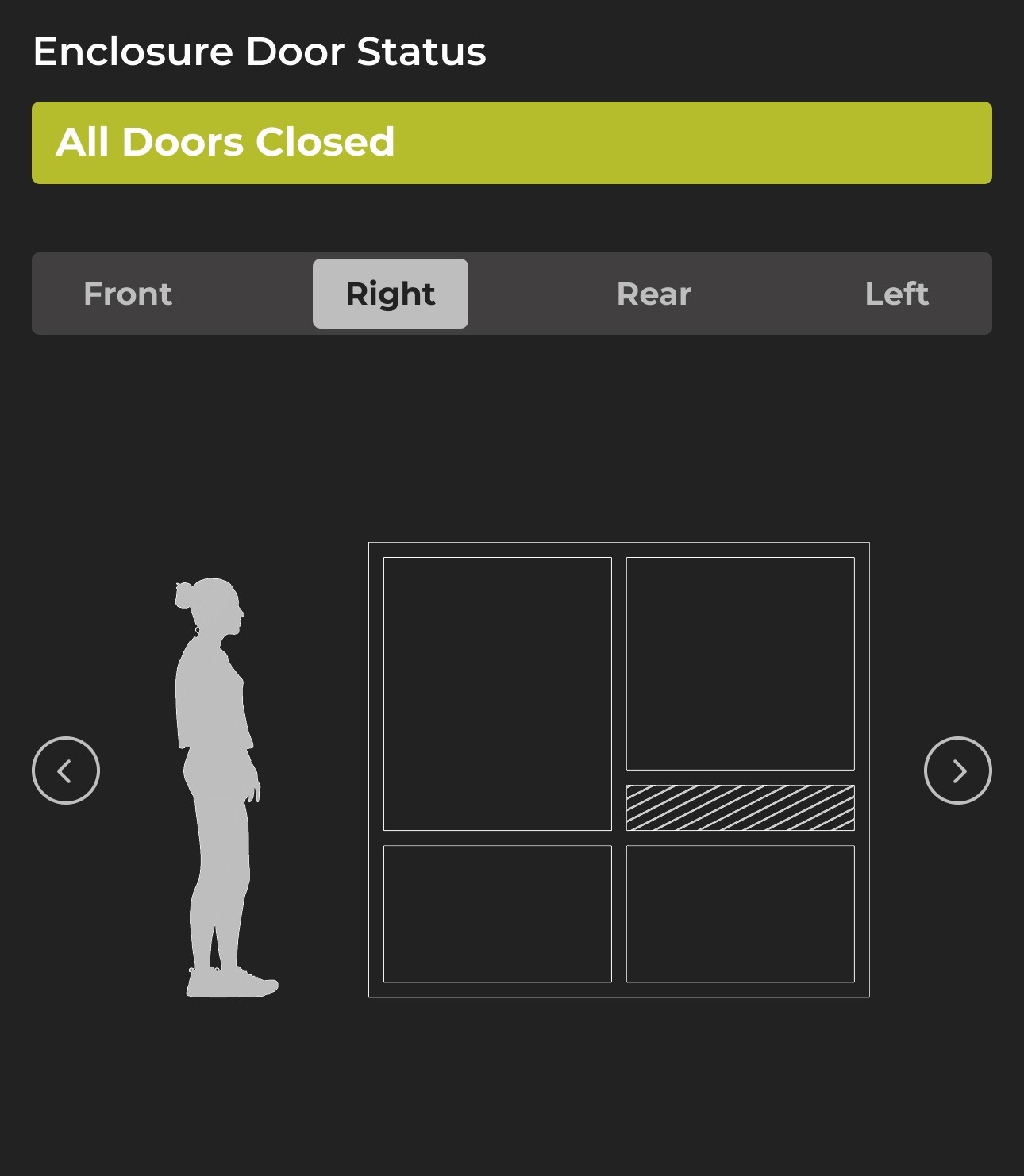
We designed an error-detection flow to help machine operators detect if a machine has been paused due to improper door closure.
Impact
01
Reduced troubleshooting time
Locating the fault now takes seconds instead of checking up to 16 doors manually.
02
Reduced cognitive load
Clear spatial mapping removes guesswork & lowers stress in high-stakes environments.
03
Reduced machine downtime & expense to the company
Built in support pathway for edge cases eliminates having to find dig through service manuals.
Here's the backstory
in 06 points
01
The machine
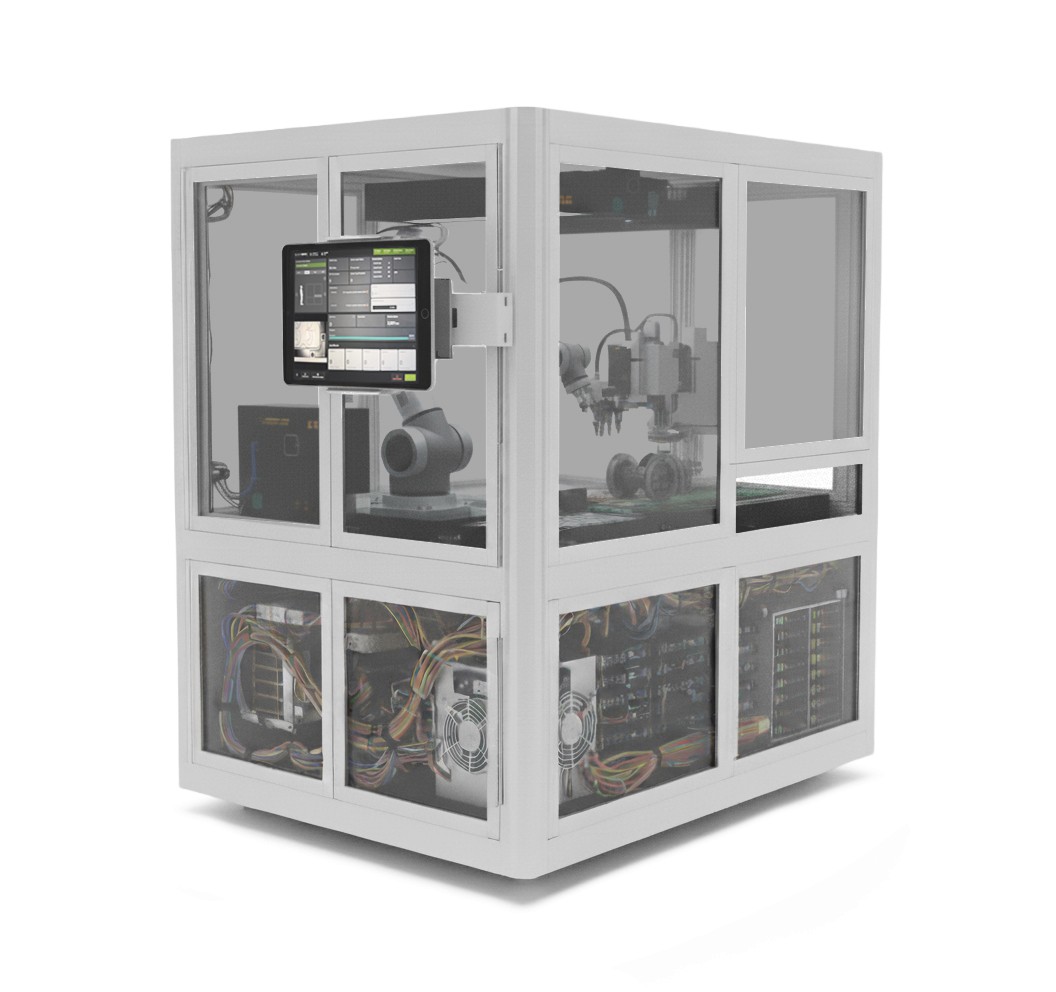
This is an approximation* of one of BlackBox Factories' SMT Line Machines. It assembles tiny components that go in your phone, earphones & laptops.
*Actual machine undisclosed owing to NDAs.
02
The context
It had 16 doors - 4 on each side. If any of the doors are open, the machine considers that an error & gets paused automatically.
03
Errors weren't the problem,
finding them was
Without any feedback or dashboard, the machine operators had to check every door. This resulted in:
Increased machine downtime
Decreased production rate
Increased company expense
04
Our playground
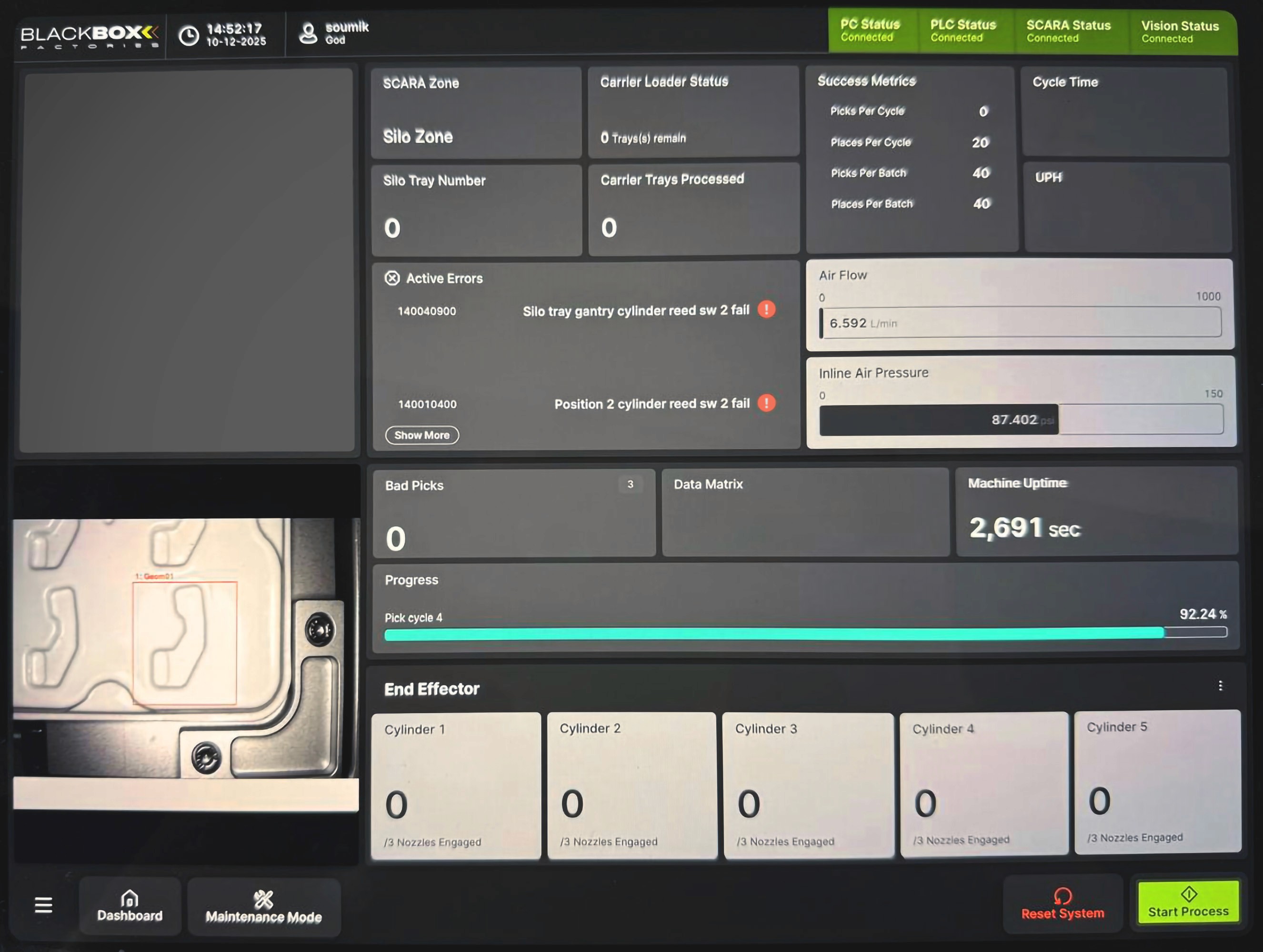
The blank top right corner of their iPad dashboard on was what we had to communicate the status of the doors.
05
Our goals
Indicate open/close states of all 16 doors.
Indicate precise position of open doors for error resolution.
Indicate support pathway in case open/close detection is faulty.
06
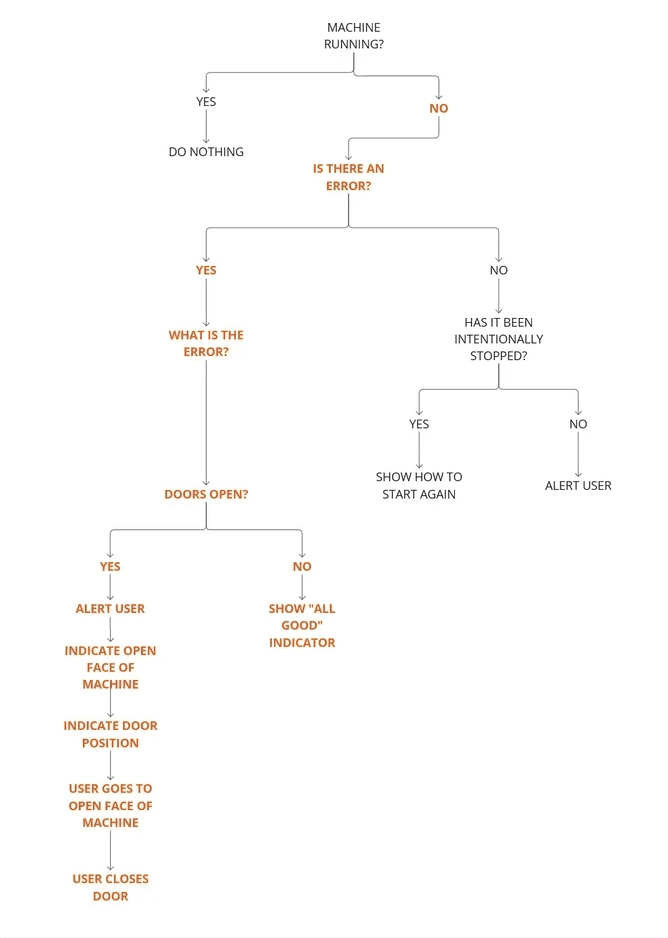
User flow
Here's how we did it in 07 iterations
01
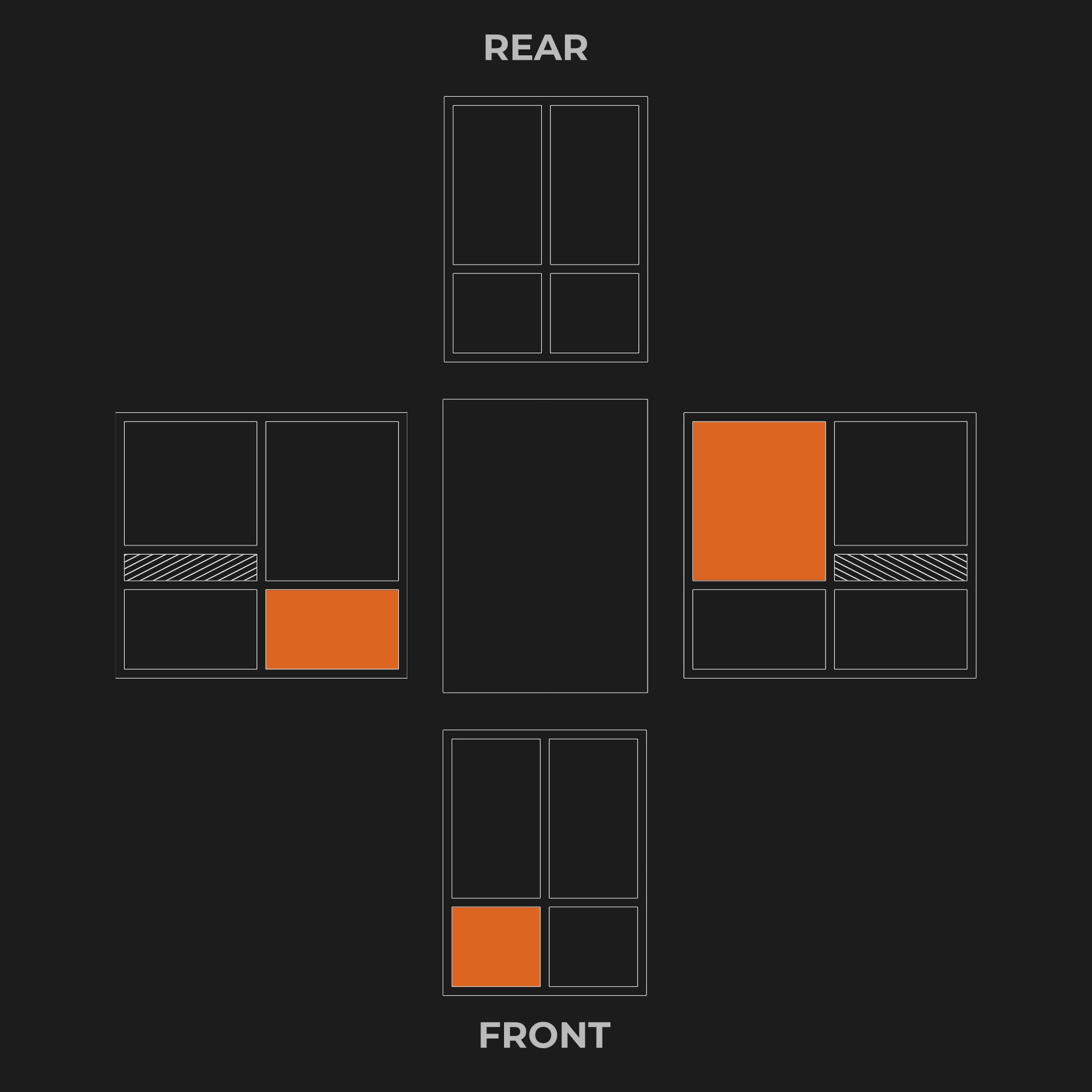
We tried unfolding the machine
Thumbnail was too small
Machine operators found it difficult to corelate the 2D representation to the 3D machine
02
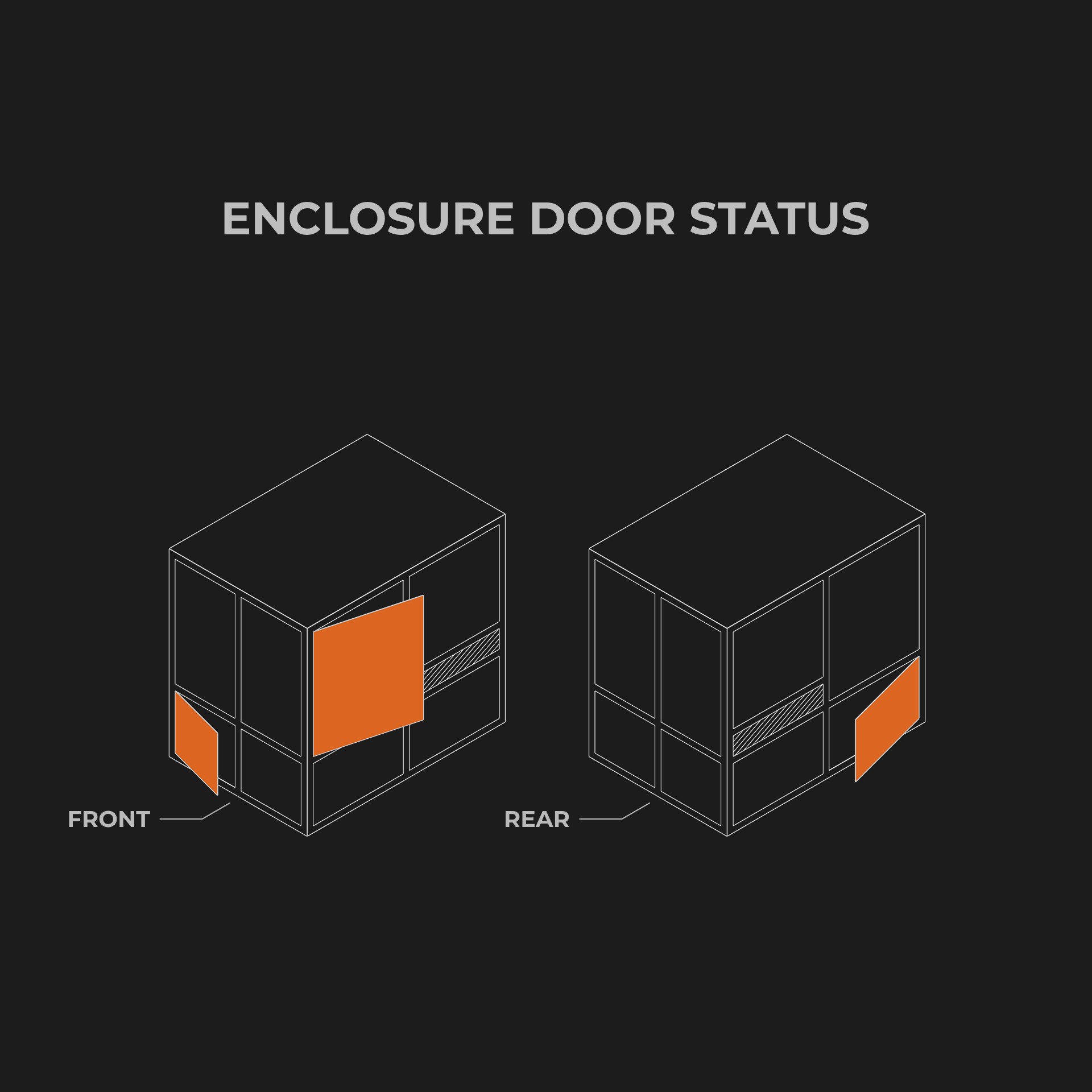
We tried talking in the same language as engineers - isometry
Thumbnail was still too small
The labels were not effective at distinguishing between the front and rear at a glance
03
We took what worked & added some more
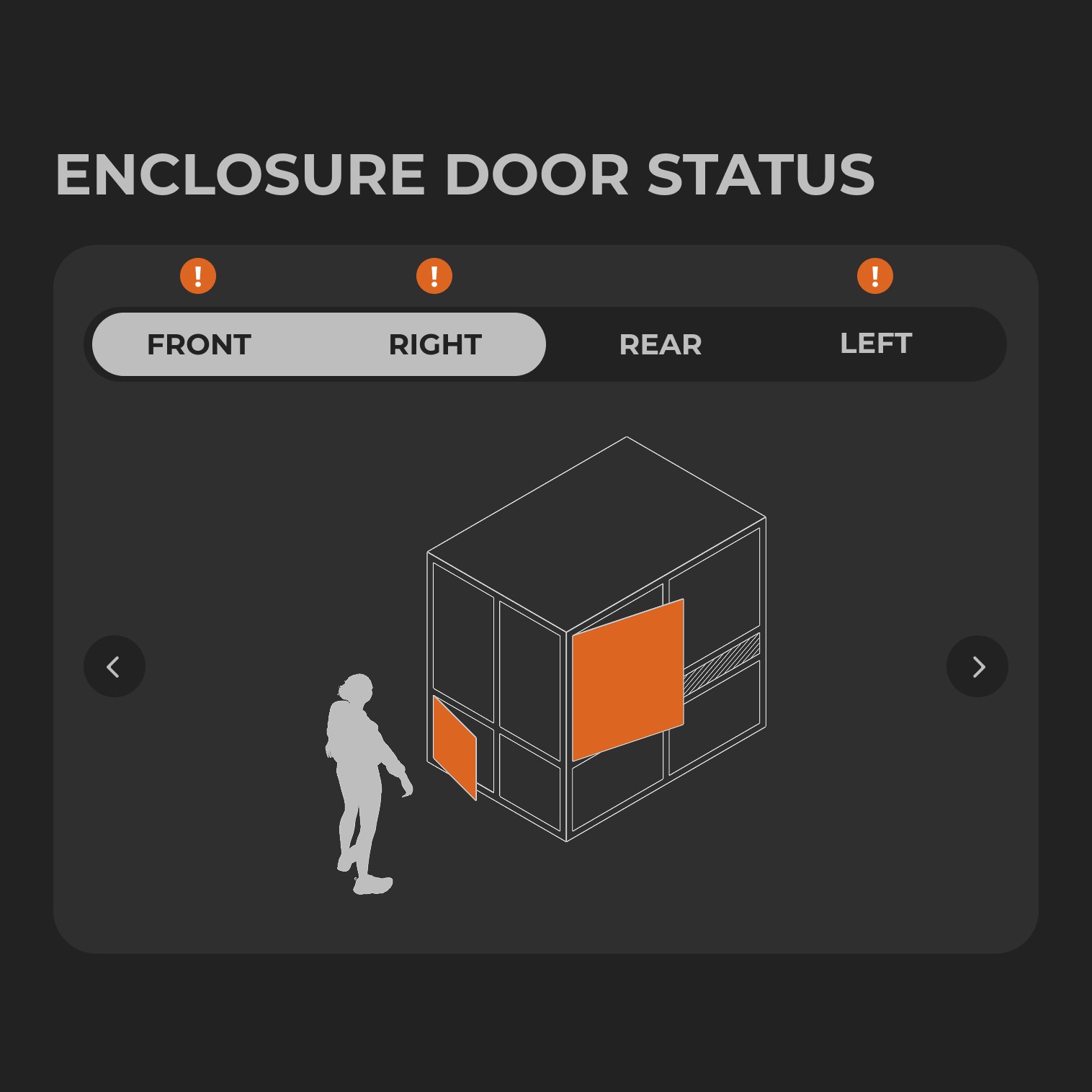
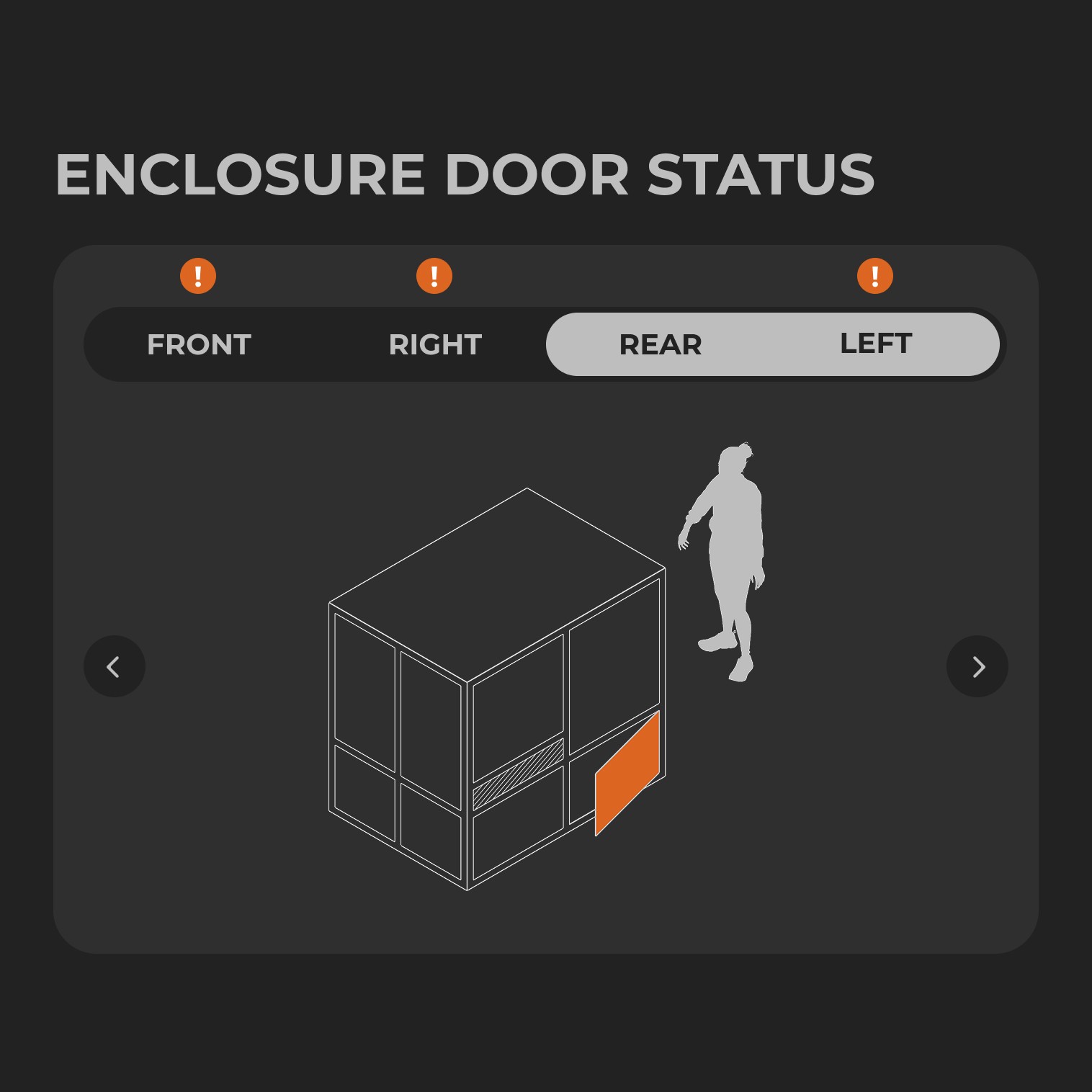
Thumbnail size was good
Human figure clarified the front vs the rear of the machine
Showing two sides at a time made it confusing to know which side was which - was “right” the right of the machine or the right of the person, since they were both opposing each other
04
Ortho for the win
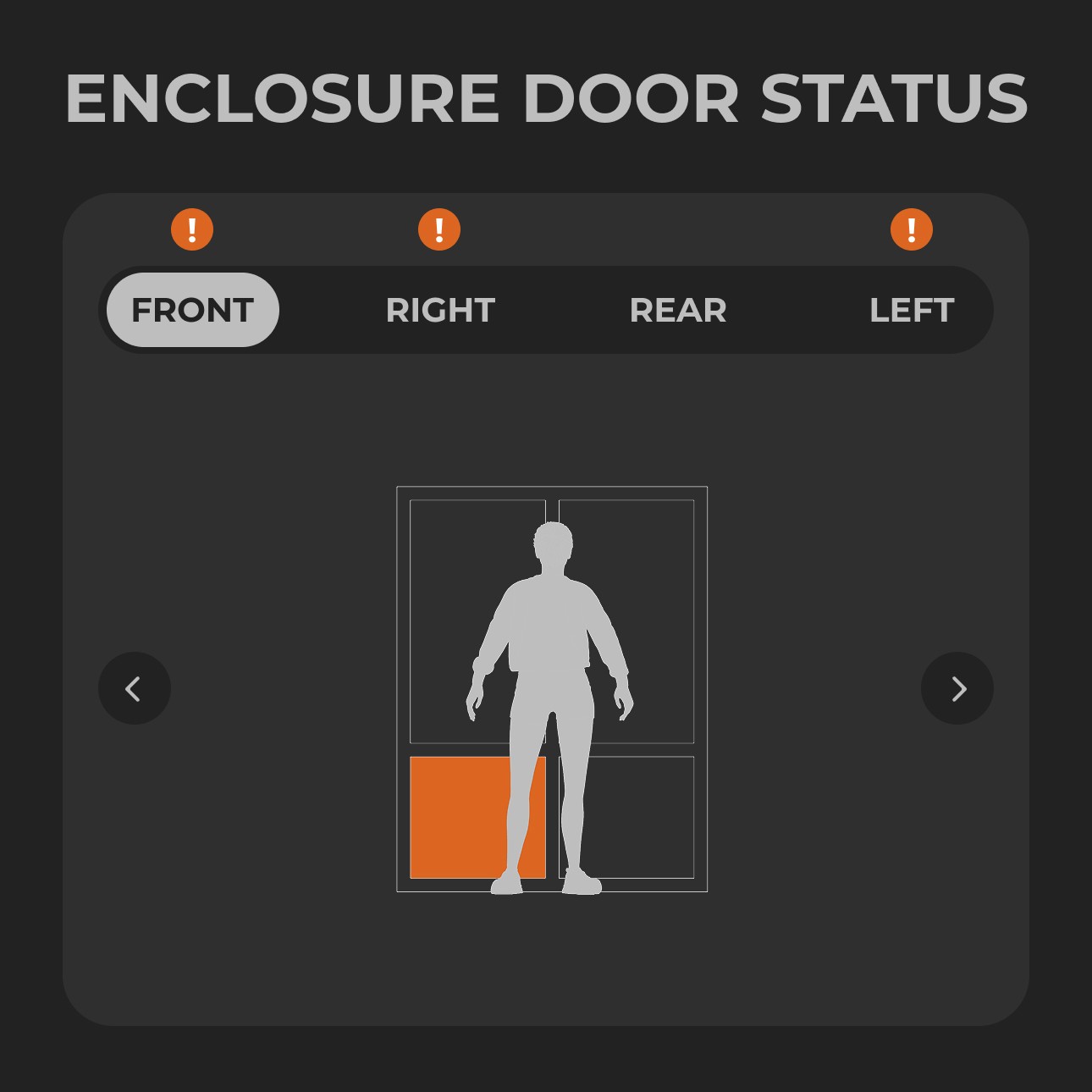
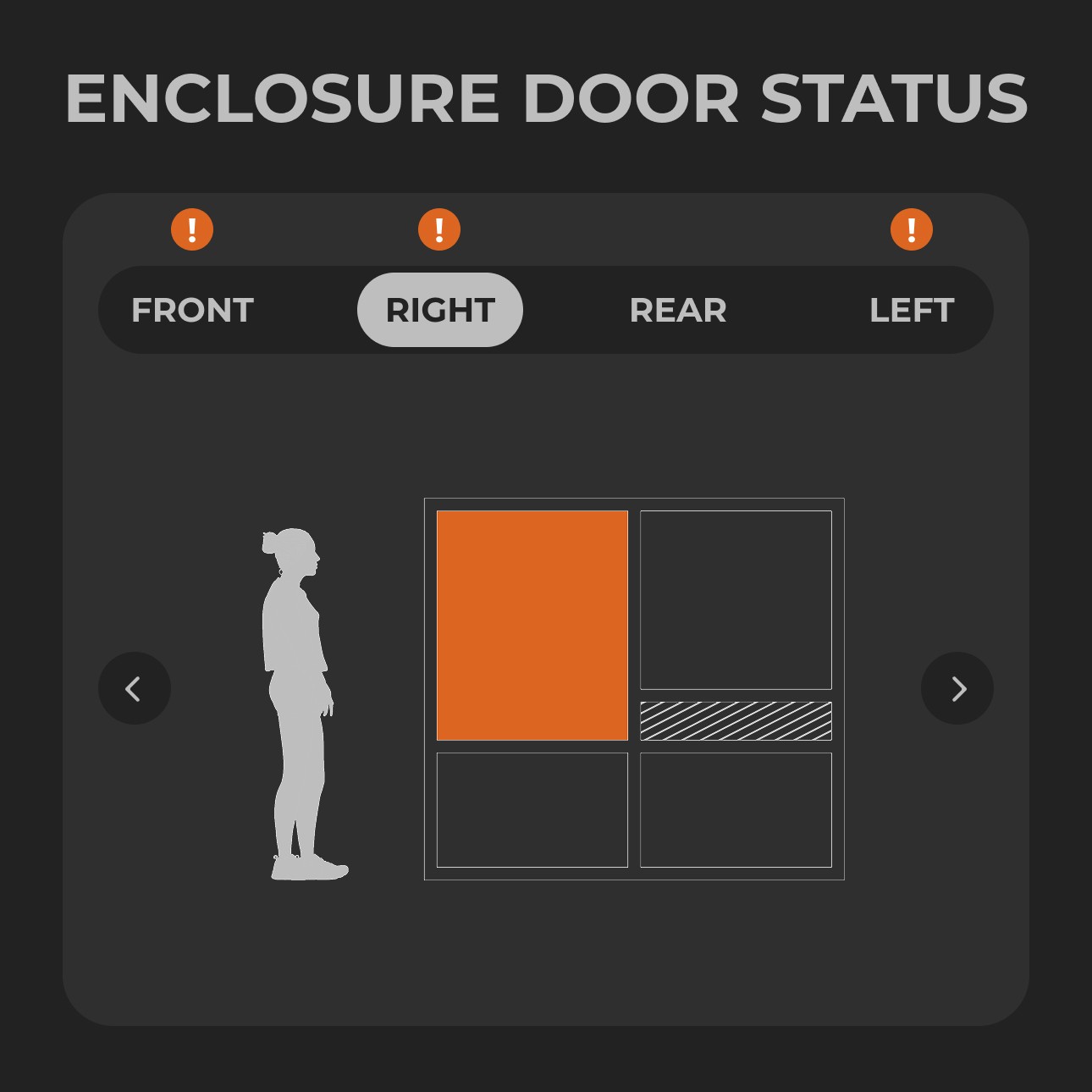
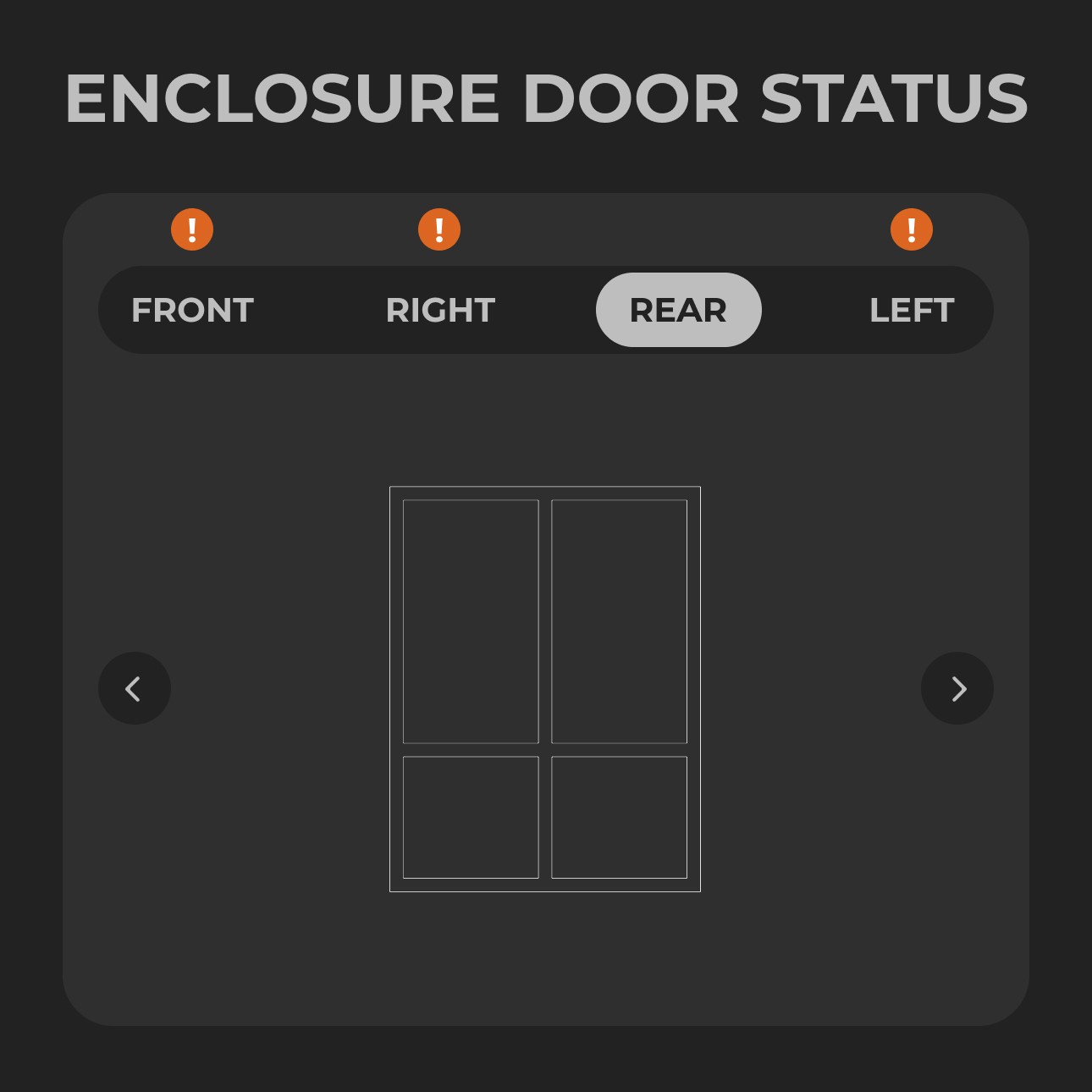
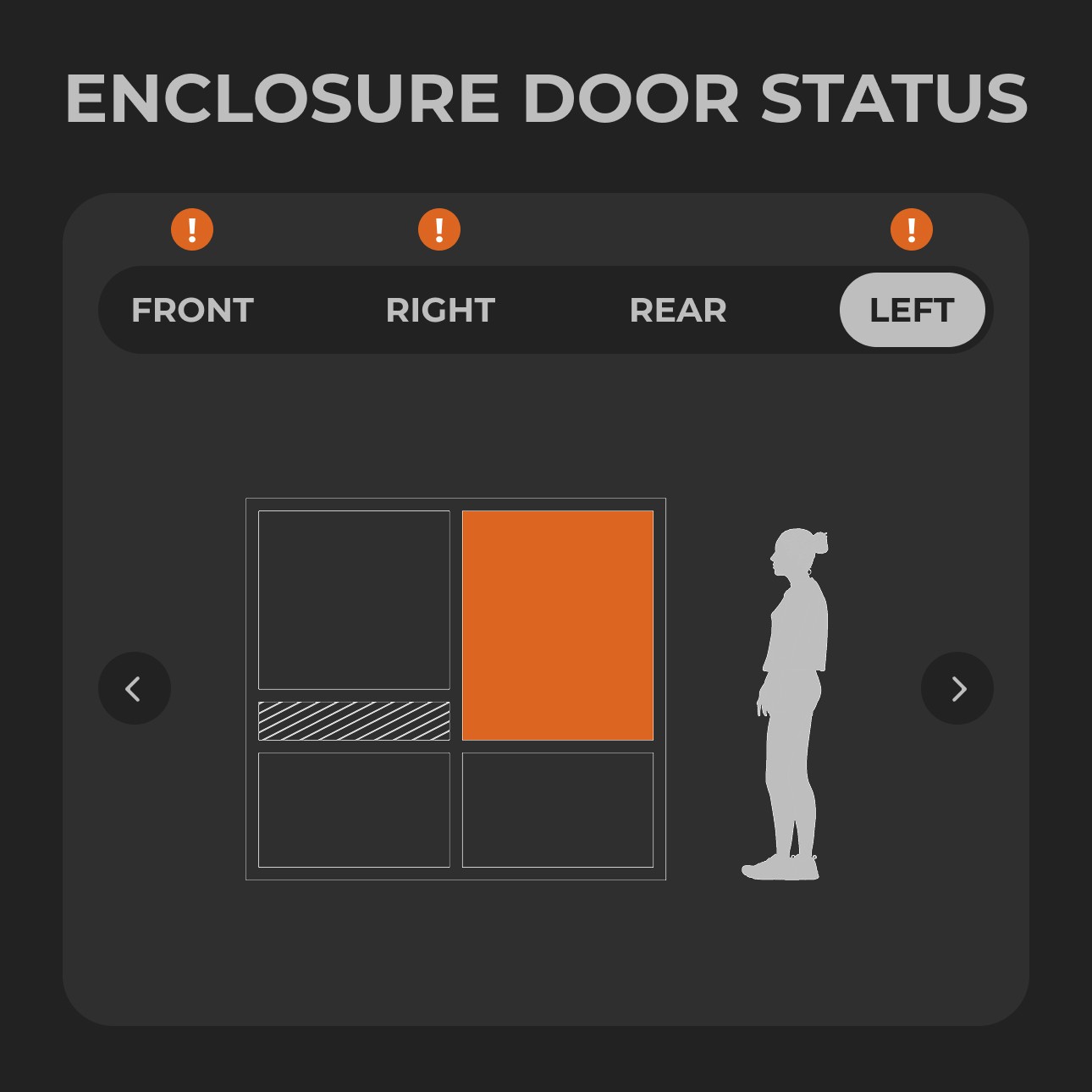
Showing one side at a time helped clarify which was the right & left side of the machine
It was hard to tell if there was an error or not especially if the side in view did not have an error
05
Louder, bigger, bolder
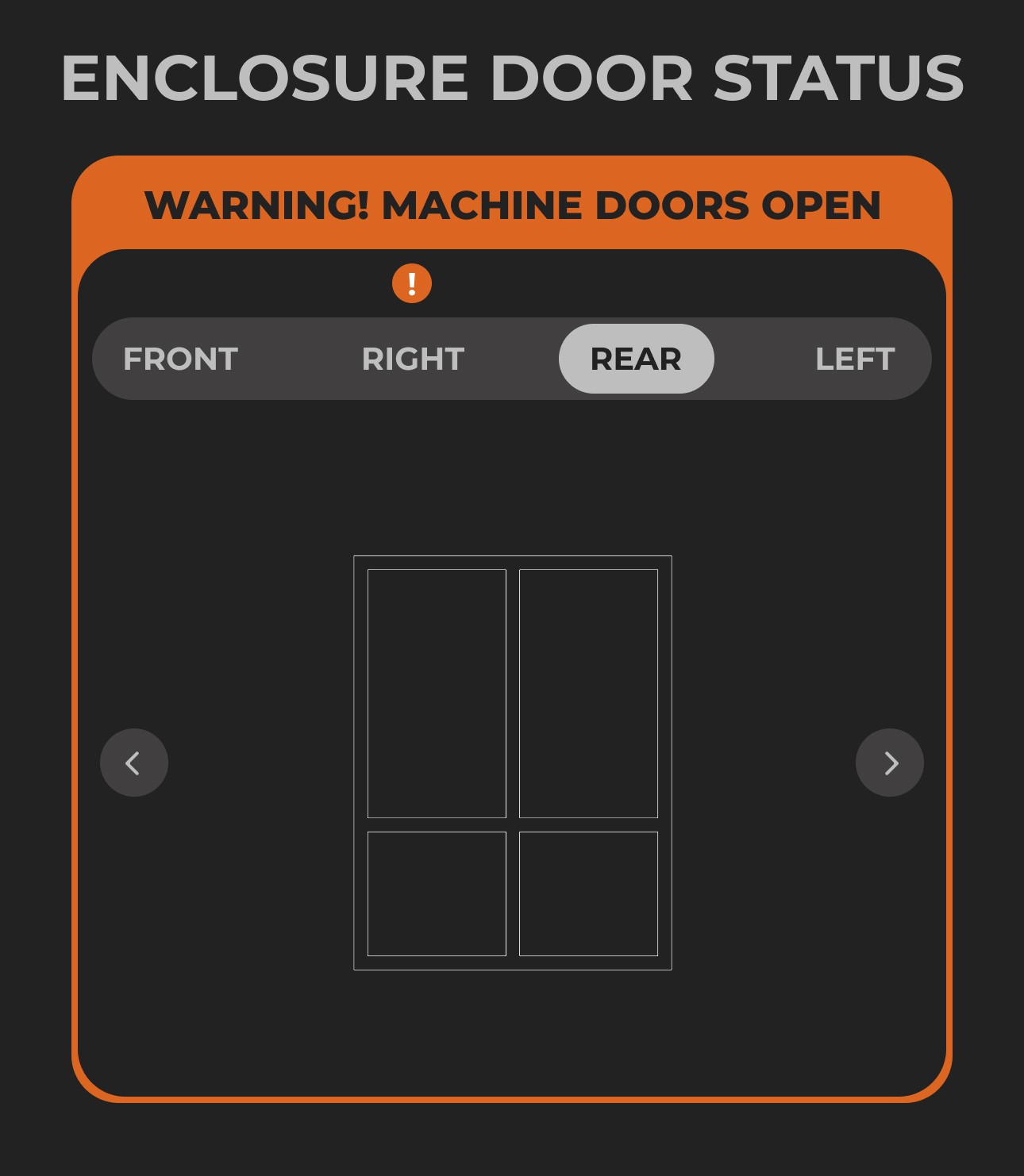
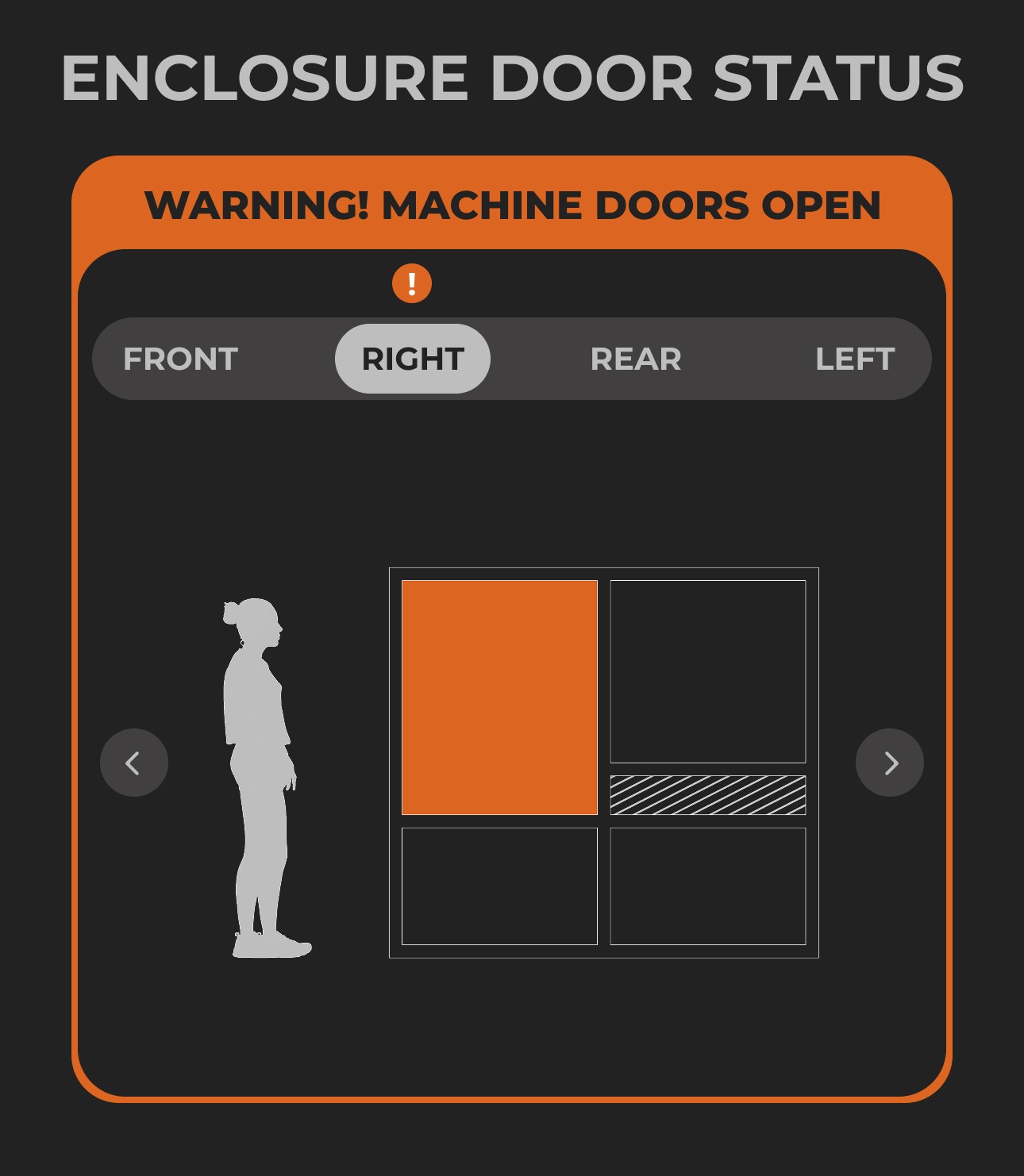
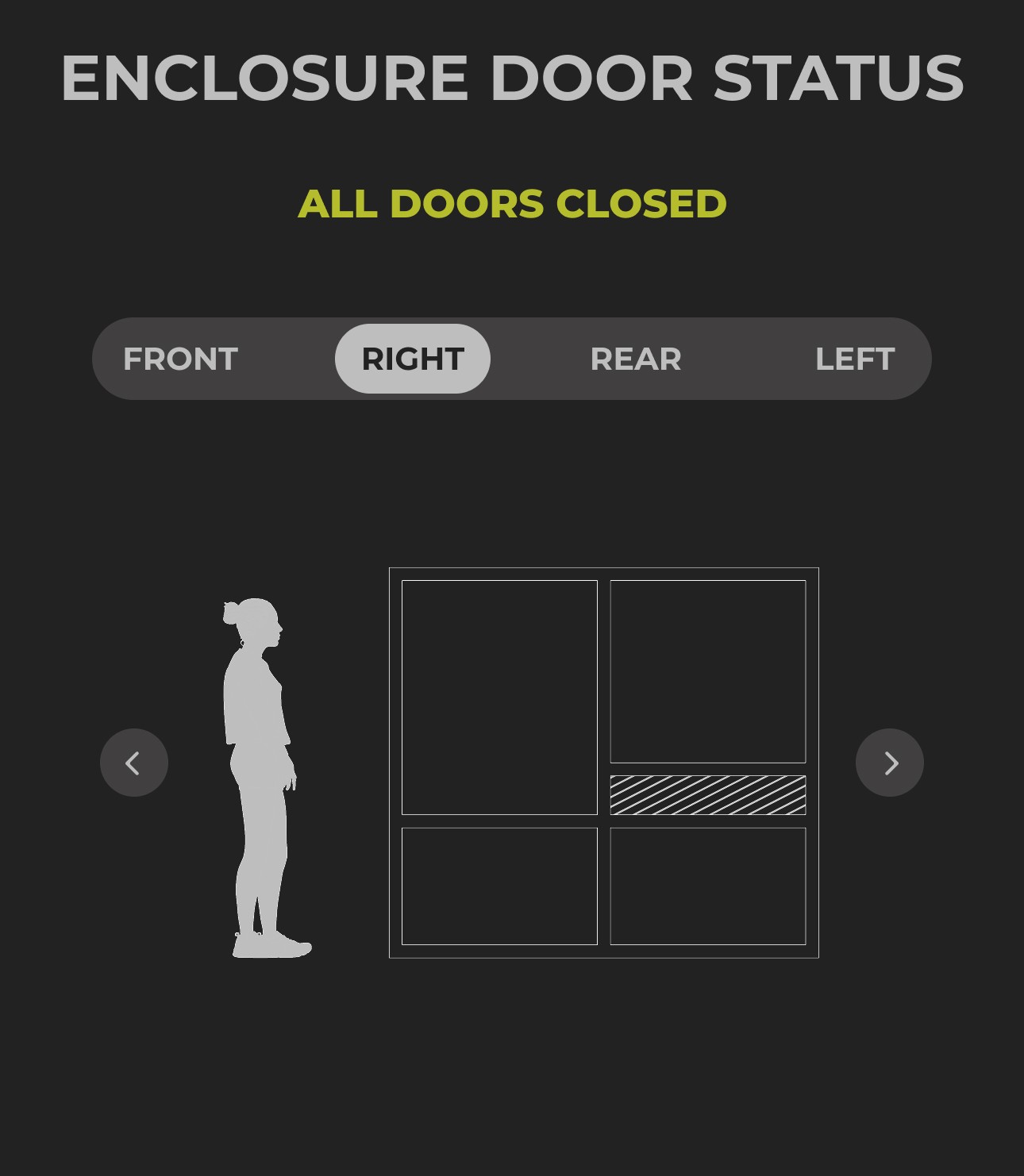
Large orange warning made it easy to spot on the crowded dashboard when there was an error
The darker background improved visibility
06
Factoring edge cases
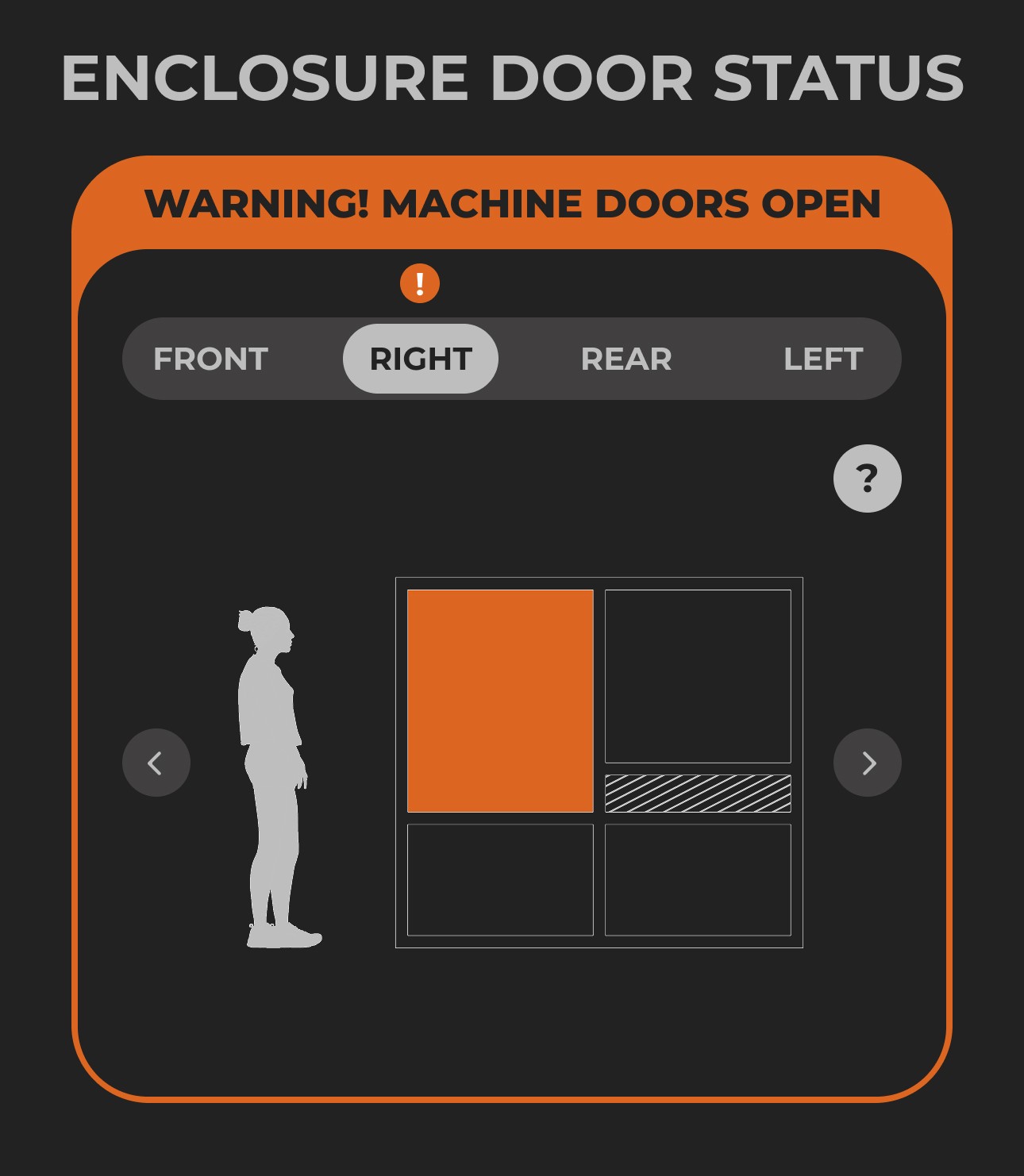
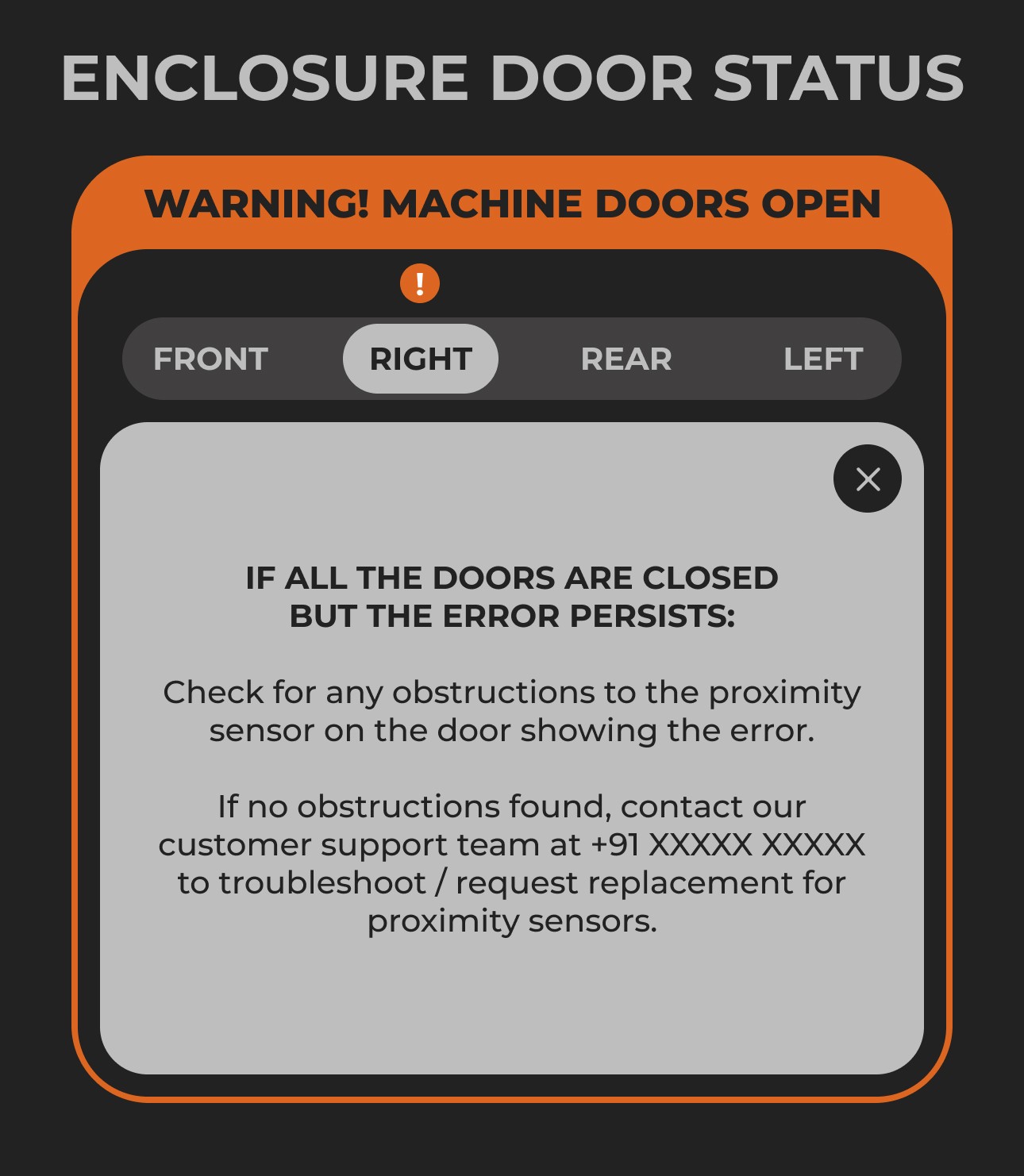
What if all the machine doors are closed but it still shows an error? The problem - a faulty proximity sensor, now resolved
07
Last minute graphic changes & developer handoff
We created a working prototype of the flow in Figma (with good Figma hygiene) for communicating it to the engineers.
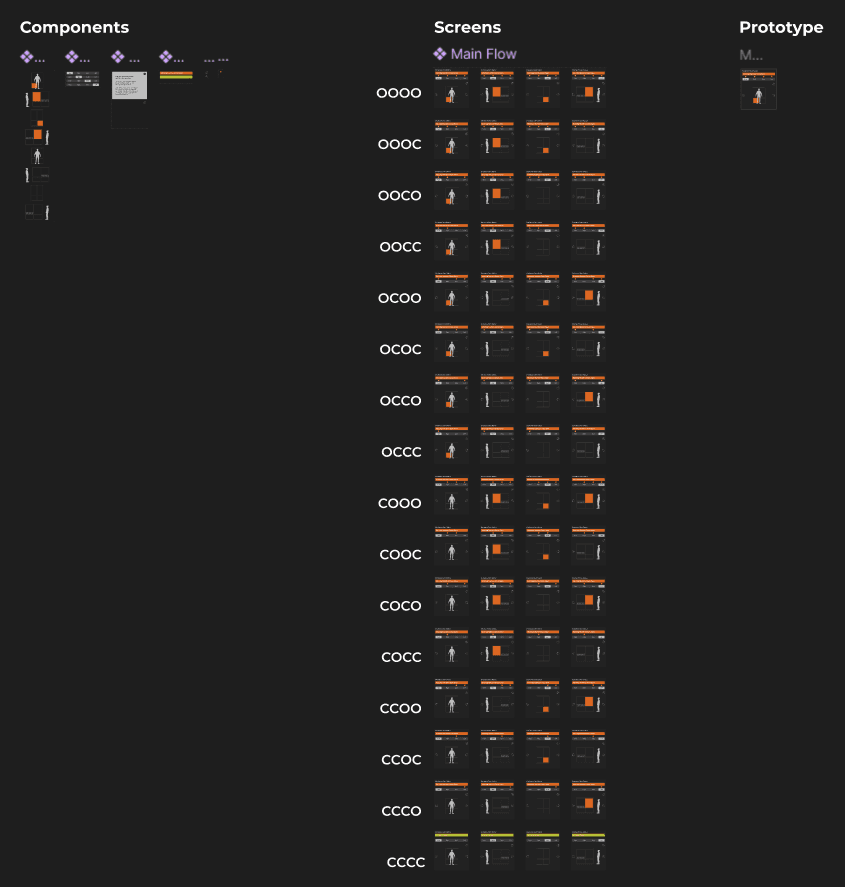
We then segregated each individual element from the screen into SVGs for importing into HELIO's HMI Development Software.
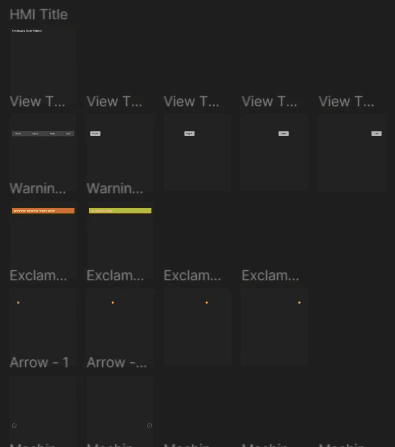
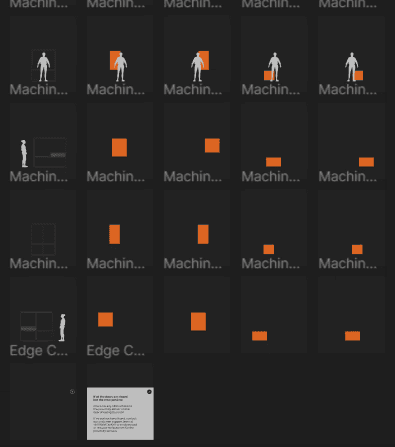
& voila!